Logging In
This guide provides step-by-step instructions for clients to log in to the ED Partners Africa Helpdesk.
Step 1: Go to the Helpdesk Portal
- Open your web browser (Chrome, Firefox, Edge, Safari)
- Visit the helpdesk homepage: https://helpdesk.edpartnersafrica.com
- Look for the "Sign In" link in the top right corner of the page
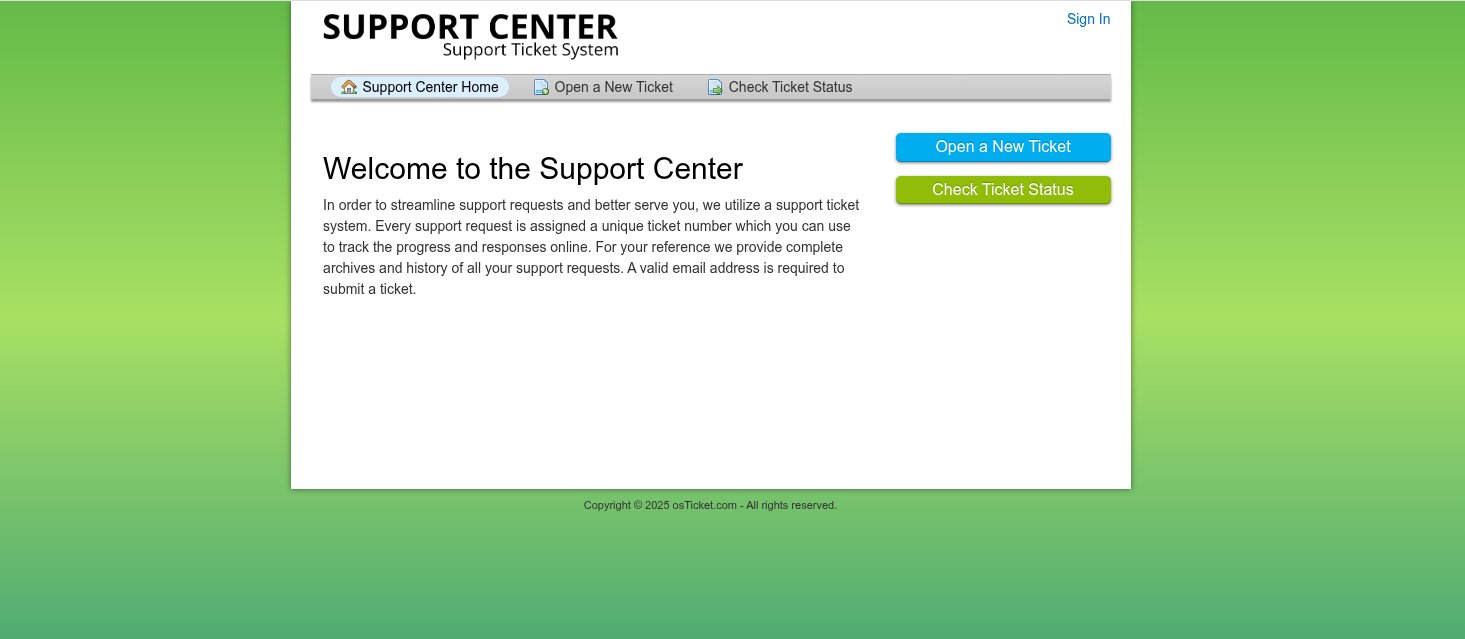
Step 2: Click on Sign In
- Click on "Sign In"
- You will be redirected to the login page
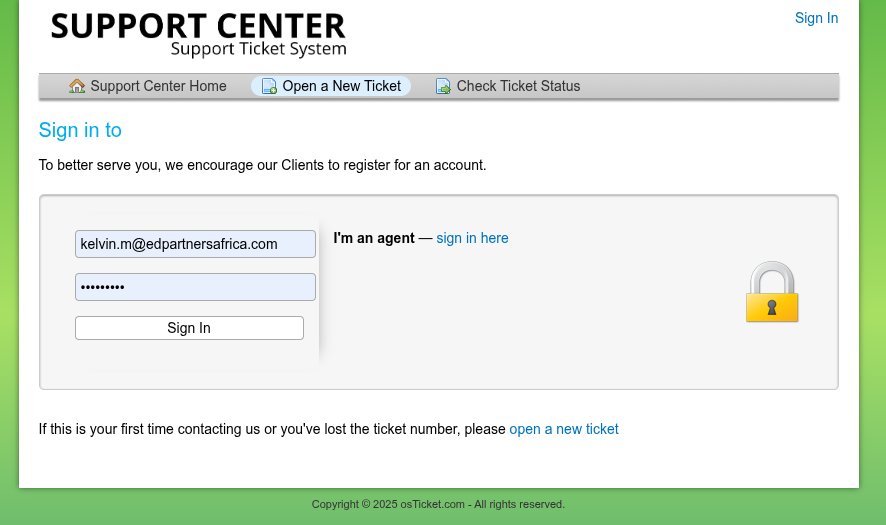
Step 3: Enter Your Credentials
On the login form, enter the following:
- Username: Your assigned username (usually your email address)
- Password: Your account password
Account Required
Your account must first be created by the ED Partners Africa Admin team. If you do not have a username and password, contact support to request access by following our Account Registration guide.
Step 4: Click Sign In to Access Your Account
- After entering your details, click the "Sign In" button
- If your credentials are correct, you will be logged in and redirected to:
- Your Client Dashboard, or
- The ticket creation page (if you were in the process of opening a ticket)
Forgot Your Password?
If you forgot your password:
- On the login page, first try logging in with passwords you remember
- If unsuccessful, click the "Forgot your password?" link on the login page
- Follow our complete Password Recovery Guide for step-by-step instructions
Password Recovery Available
ED Partners Africa Helpdesk now has an automated password recovery system. You can reset your password yourself using the forgot password feature.
Troubleshooting Login Issues
Common Problems and Solutions:
❌ "Invalid Login" Error:
- Double-check your username (usually your email address)
- Ensure Caps Lock is off
- Make sure you're using the correct email/username
- Try typing your password in a text editor first to verify it's correct
🔐 First Time Logging In:
- If you just received your account, ensure you've set your initial password via the email link
- Check if you need to activate your account first
📧 No Account Yet:
- Follow our Account Registration guide
Account locked or suspended:
- Contact support immediately at helpdesk@edpartnersafrica.com
- Provide your username and describe the issue
Page won't load:
- Check your internet connection
- Try clearing your browser cache and cookies
- Try a different browser or incognito/private mode
Staying Logged In
- Your session will remain active for a reasonable period
- For security, you'll be logged out after extended inactivity
- Always log out when using shared or public computers
Next Steps
Once logged in successfully, you can: